


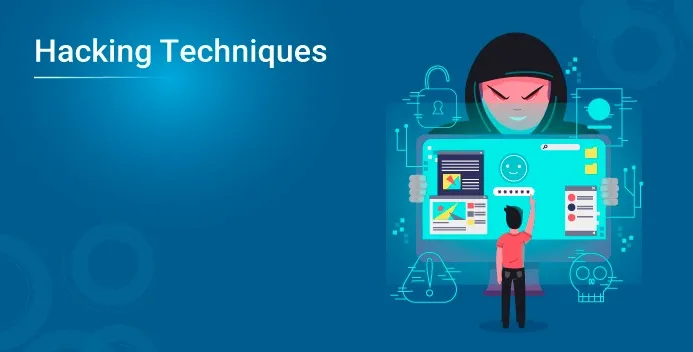
If you're worried about cyberattacks, you're not alone. Understanding common hacking techniques is a frequent goal, and it often feels overwhelming because of sensationalized movies and outdated advice. Many beginners struggle because they don't know what to actually look out for.
In this guide, you'll learn:
- What hacking techniques actually entail
- Why these methods succeed
- What current data says about attack trends
- 10 common hacking techniques explained simply
- Common security mistakes to avoid
Keep it conversational. Avoid fluff.
Quick Answer
The most common hacking techniques rely on human error rather than complex code. Phishing, credential stuffing, and exploiting unpatched software account for the vast majority of breaches. Understanding these methods helps you build practical, everyday defenses rather than fearing highly unlikely, sophisticated attacks.
Evidence Snapshot
| Threat Type | Current Status |
|---|---|
| Phishing | Remains the top initial access vector globally |
| Unpatched Software | Routinely exploited within days of a patch release |
| Ransomware | Shifting toward data extortion rather than just locking files |
| Credential Theft | Driven by massive data breaches on third-party sites |
| Current Consensus | Automated attacks targeting basic hygiene failures dominate |
What Are Hacking Techniques?
At its core, what is hacking? It is the act of identifying and exploiting weaknesses in a computer system or network.
While the term sounds strictly malicious, understanding the different types of hackers helps clarify the intent. Ethical hackers use these exact same techniques to find flaws so organizations can fix them before malicious actors strike.
If you want to understand how systems are defended, you first have to understand the foundational principles of what is cybersecurity.
Current Research and Industry Status
Cybersecurity experts currently know that the vast majority of successful attacks are not highly sophisticated, custom-built intrusions. Instead, they rely on known vulnerabilities and human psychology.
According to recent data from the Verizon Data Breach Investigations Report (DBIR), the human element is involved in over 80% of breaches. Furthermore, the FBI’s Internet Crime Complaint Center (IC3) reports billions in annual losses, primarily driven by simple social engineering.
Ongoing developments suggest that attackers are using AI to generate more convincing attacks. Early evidence indicates AI will lower the barrier to entry for some attacks, but more research is needed to understand the long-term impact.
What Security Professionals Actually See Today
To understand how these techniques play out in the real world, it helps to look at what incident responders see on the ground:
- Attackers prioritize ROI, not you personally: Most people think they will be manually targeted. In reality, attackers use automated tools that scan the internet for the lowest-hanging fruit.
- AI has completely changed phishing: Historically, you could spot a phishing email by bad grammar. Generative AI has eliminated those tells, allowing attackers to generate flawless, hyper-personalized emails.
- The "I was hacked" misconception: Real-world incident reports show a common trend. Victims often claim they were "hacked" when, in reality, they simply gave their password away on a fake login page.
If you want to see the step-by-step process of how these techniques are applied to actual devices, you can read more about how hackers break into computers.
Before You Secure Your Computer
If you want to defend yourself against these techniques, you need to know where your blind spots are. Review this checklist:
- Update your operating system and browsers
- Enable Multi-Factor Authentication (MFA)
- Do not click links in unsolicited emails
- Use unique, complex passwords
- Back up your data regularly
- Avoid downloading software from unofficial sources
What Are the Most Common Hacking Techniques? 10 Methods
1. Phishing and AI Social Engineering
Attackers send fake emails or texts designed to trick you into revealing your password or downloading a malicious file. With AI, these emails are no longer full of spelling errors. You can read more about how these deceptive campaigns operate in this dark web phishing guide.
2. Credential Stuffing and Password Reuse
If your email and password are leaked in a breach on one website, attackers use automated tools to try those exact same credentials on your bank, email, and social media. How do hackers hack accounts usually comes down to this simple, automated method.
3. Exploiting Unpatched Software
Software is written by humans, and humans make mistakes. When a company discovers a flaw, they release a patch. If you delay updating, attackers use automated scanners to find your vulnerable system and exploit it—sometimes without you clicking anything.
4. Malware and Ransomware Delivery
Once a system is accessed, attackers often install malware. This can range from keyloggers that record your keystrokes to ransomware that encrypts your files. Stolen data is often moved to hidden networks, highlighting the importance of understanding what is the dark web.
5. Malicious Browser Extensions
Many users blindly trust browser extensions. Attackers create fake extensions (like PDF converters or ad blockers) that look legitimate but secretly steal browsing data, capture keystrokes, or inject ads into your browser.
6. SQL Injection and Web Exploits
Imagine typing a username into a website's login box. Instead of a name, a hacker types computer code. If the website isn't built securely, it runs that code instead of searching for a username, granting the hacker access to the site's entire database.
7. Supply Chain Attacks
Instead of attacking you directly, hackers compromise a software vendor you trust. When you download a legitimate update for that software, you unknowingly install the hacker's malware along with it.
8. Man-in-the-Middle (MitM) Attacks
If you use unencrypted public Wi-Fi at a coffee shop, an attacker on the same network can intercept the data traveling between your device and the internet. This leads many users to explore secure routing methods, sparking the common Tor vs VPN debate for privacy.
9. Baiting (Physical Social Engineering)
Not all techniques are digital. Attackers often leave infected USB drives in a company parking lot labeled "Executive Salaries" or "Q4 Bonuses." Curiosity drives victims to plug the USB into their computer, instantly installing malware.
10. Brute Force Attacks
This is the digital equivalent of trying every key on a keyring. Attackers use automated software to guess millions of password combinations for a login page until one works. This is why long, complex passwords are essential.
Common Mistakes
Mistake: Reusing passwords across multiple sites. Why it happens: People have too many accounts to remember. How to avoid it: Use a reputable password manager to generate and store unique passwords.
Mistake: Clicking "Remind Me Later" on software updates. Why it happens: Updates are inconvenient and require restarts. How to avoid it: Enable automatic updates for your operating system and critical applications.
Mistake: Downloading "free" pirated software. Why it happens: The desire to avoid paying for premium tools. How to avoid it: Cracked software is almost always bundled with hidden malware. Use official sources only.
Factors That Affect Results
- User Behavior: Curiosity is a major vulnerability. Clicking on an unexpected invoice attachment out of curiosity is a leading cause of infection.
- Data Encryption: If your device is stolen, full-disk encryption ensures the thief cannot simply remove the hard drive to read your files. Many professionals also use tools like what is PGP to encrypt sensitive communications.
- Anonymity Tools: Some users attempt to hide their IP address while researching threats. Understanding what is Tor browser can help you browse securely, though it is just one part of a broader strategy.
Safe vs Unsafe Digital Habits
| Safe Habits | Risky Habits |
|---|---|
| Unique passwords for every site | Reusing the same password everywhere |
| Automatic software updates | Delaying updates for weeks |
| Verifying email senders | Clicking links in unsolicited emails |
| Backing up data offline | Storing all data on a single drive |
| Using MFA/2FA | Relying solely on a password |
What Current Evidence Suggests
Observational findings from major cybersecurity firms indicate that basic hygiene stops the vast majority of opportunistic attacks.
When breaches do happen, the stolen data often ends up on illicit marketplaces. For example, the recent incident where Silk Road wallets reactivated and $3.14M Bitcoin moved after 10 years shows just how long stolen or illicit digital assets can lay dormant before being manipulated.
The current consensus is that you cannot stop a highly targeted, state-sponsored attacker. However, you can easily deter automated, opportunistic attacks by removing low-hanging fruit.
Pro Tips
- Take five minutes today to check if your email has been involved in a data breach using free online tools. If it has, change those passwords immediately.
- Enable hardware-based authentication (like a YubiKey or Google Prompt) for your most critical accounts.
- Understand the tools attackers use. Learning about what is ethical hacking can give you a defensive mindset.
- Be skeptical of urgency in emails. Attackers rely on panic to make you click without thinking.
Safety / Best Practices
Follow reliable guidance from established organizations. Verify information through trusted resources.
Use comprehensive guides on how to protect yourself from hackers to build a layered defense. Understand the limitations of your tools—antivirus software is helpful, but it cannot save you from willingly entering your password on a fake login page.
Related Guides
- Foundational Knowledge: Read our breakdown on what is cybersecurity to understand the broader defense landscape.
- Threat Intelligence: Stay updated on the latest breach trends and threat actor behaviors at DarkStats.
FAQ
What is the most common hacking technique? Phishing and credential theft remain the most common techniques. Attackers trick users into willingly handing over login credentials or downloading malicious files, rather than trying to hack through code.
Can someone hack me just by visiting a website? Malicious websites can exploit browser vulnerabilities or unsafe settings like outdated plugins. Keeping your browser updated and disabling unnecessary features significantly reduces many common web-based risks.
How do I know if a hacking technique worked on me? Common signs include unusually slow performance, programs opening automatically, unexpected pop-ups, or your friends receiving spam messages from your social media accounts.
Can antivirus stop all of these techniques? No. Antivirus is effective at stopping known malicious software, but it does not replace the need for strong passwords or safe browsing habits. It will not stop you from falling for a phishing scam.
What is a zero-day attack? A zero-day attack exploits a software flaw that the manufacturer does not yet know about. Because there is no patch available, these attacks are highly dangerous but also rare and expensive for attackers to execute.
Do hackers actually target regular people? Yes, but usually through automated scripts rather than manual targeting. Attackers want easy access to bank accounts, email contacts, or computing power to launch further attacks.
Key Takeaways
- Main takeaway: Most computer breaches are the result of human error rather than sophisticated coding techniques.
- Important limitation: Security tools cannot fully protect users who willingly bypass security measures.
- Most common mistake: Reusing passwords across multiple websites and services.
- Best practice: Enable multi-factor authentication and update your software automatically.
- Next step: Audit your current passwords and turn on two-factor authentication for your primary email account.
Conclusion
Understanding common hacking techniques removes the mystery and empowers you to defend yourself. These methods are well-documented, and the defenses are entirely within your control. By shifting your focus from fearing complex attacks to fixing basic habits, you drastically reduce your risk of becoming a victim.
Remember that the threat landscape evolves constantly. To stay updated on the latest threats, vulnerabilities, and security practices, continue learning through trusted resources and related guides.