



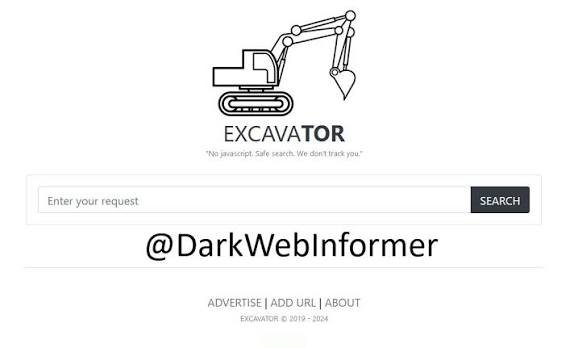
If you're wondering whether the Excavator search engine is safe, you're asking an important question before using any dark web search tool. The core problem is that most users assume a search engine acts as a gatekeeper, filtering out malicious content. On the clearnet, Google largely does this. On the dark web, Excavator does not. This creates a false sense of security where users let their guard down the moment a search result loads. This guide explains exactly what risks Excavator presents, how to separate the tool from the environment it indexes, and the specific steps you must take to avoid phishing, malware, and de-anonymization in 2026.
Quick Answer
Using the Excavator search engine is relatively safe if your Tor Browser is configured correctly, but the search results it provides point to an unfiltered, high-risk environment. The engine itself is just an index, meaning your safety depends entirely on how you handle the links it returns, not the search tool itself.
What Is the Excavator Search Engine?
Excavator is an onion-service-based search platform built to crawl and index .onion websites. Unlike standard search engines that ignore Tor completely, Excavator focuses entirely on mapping the dark web. For a complete breakdown of its features, indexing methods, and alternatives, you can review our detailed Excavator search engine guide.
To understand the environment Excavator indexes, it helps to distinguish the dark web from the standard internet. Looking at the differences between the deep web and the dark web in 2026 makes it clear that the dark web is an intentional, hidden subset of the internet requiring specific software to access. Excavator acts as the directory for that hidden space.
Why Safety Misconceptions Happen
Users frequently misjudge the safety of dark web search engines due to a few persistent misconceptions.
Wrong habits
Many users treat Excavator like Google. They click the first result, assume the top link is the most reputable, and input credentials without verifying the URL. This habit is uniquely dangerous on Tor, where search rankings are easily manipulated.
Outdated tools/info
Casual users often rely on outdated operational security (OPSEC) guides from 2020 or 2021. The threat landscape shifts rapidly. Techniques that were considered safe a few years ago may now leave you vulnerable to modern browser exploits.
Misunderstanding system
There is a widespread belief that because a site requires the Tor browser to access, it is inherently anonymous and secure. This is false. Tor only anonymizes your network traffic; it does not protect you from malicious code running on the websites you visit.
External limitations
Excavator has no way to scan the sites it indexes for malware in real-time. The sheer volatility of the Tor network means a site indexed on Monday could be compromised and turned into a phishing trap by Wednesday.
Is the Excavator Search Engine Safe?
To answer this accurately, you have to separate the search engine itself from the search results it generates.
The Engine Itself
Based on available observations, Excavator functions as a standard text-based search index. It reportedly does not force intrusive JavaScript on its homepage, which is a positive sign. JavaScript and other browser features can increase security and privacy risks when browsing untrusted websites. However, its operators remain anonymous, and its internal code cannot be independently verified.
However, users should not assume that using Excavator guarantees anonymity. Tor is designed to obscure the user's network location, but anonymity can still be weakened by unsafe browsing behavior, account logins, browser configuration, downloads, or other identifying information voluntarily provided to a website. Excavator's own privacy practices should also be evaluated separately from Tor's protections. If the service's logging policies or technical implementation cannot be independently verified, avoid treating its privacy claims as a guarantee.
The Search Results
This is where the actual danger lies. Excavator should not be treated as a security filter for the websites it indexes. If you search for a specific marketplace or forum, Excavator will return every .onion URL containing those keywords, including fake, phishing, and malicious clones.
Threat actors frequently buy expired .onion domains and set up exact replicas of legitimate sites. When Excavator’s crawlers index these fake sites, they appear in your search results. If you click one and enter your credentials, your account is compromised. Understanding how hackers hack accounts is essential for recognizing these fake login portals.
The Legal Risk
Using a dark web search engine is not inherently illegal in many jurisdictions, but laws vary by country and what you access or do through the service can create legal issues. Simply querying a search bar is generally legal, but clicking through to illicit content can cross legal boundaries depending on your local laws.
What Excavator Can and Cannot Protect You From
Excavator is a search and indexing tool, not a security service. It can help users discover .onion pages, but it does not guarantee that the websites appearing in its results are legitimate, safe, or trustworthy.
What Excavator does not protect against:
- Phishing and fake .onion websites
- Malicious downloads
- Fraudulent login pages
- Scams and impersonation
- Compromised websites
- Malicious content hosted by indexed services
- Poor security practices by the user
What Tor does not protect against: Tor helps provide network-level anonymity, but it does not make every website you visit trustworthy or every file you download safe. A malicious website can still attempt phishing, deliver harmful files, or trick users into revealing personal information.
The safest approach is to treat Excavator as an information-discovery tool rather than a security filter.
How to Use Excavator Safely
If you decide to use Excavator, you must adopt a strict security protocol before you load the homepage.
First: Foundation setup
You must use the official Tor Browser, and you must understand its limitations. What a Tor browser is, including its legality, safety, and tracking in 2026 is the foundational knowledge required here. Before searching, set your Tor Browser security slider to "Safest." This disables JavaScript, WebGL, and other scripts that are commonly used in common hacking techniques to reveal your real IP address.
Next: Fix common search habits
Never trust a search result URL at face value. When Excavator returns a result, do not click it immediately. Copy the URL and cross-reference it against trusted community directories like the Excavator official onion link page on OnionLink or the DarkStats threat intelligence platform. If the URL does not perfectly match the verified link, do not visit it.
Finally: Improve your research strategy
Treat Excavator purely as an intelligence-gathering tool, not a security gateway. Use it to identify the name or context of a site, then access the destination through a previously verified bookmark or independently authenticated address. This approach can substantially reduce the risk of accidentally visiting a phishing clone, but it does not eliminate every security risk.
How to Verify an Onion URL
Finding a .onion address in a search result does not prove that the address belongs to the service you are looking for. Before visiting an important service, verify its address through an independent and trusted source.
Check the full onion address
Do not rely only on the site's name, logo, or page design. Carefully compare the complete onion address with an independently verified address.
Look for independent verification
If a service publishes its official onion address through a trusted clearnet website, security publication, official documentation, or another independently authenticated channel, use that source for comparison.
Be cautious with copied links
Avoid treating addresses from random posts, screenshots, advertisements, or unknown directories as authoritative. Attackers can deliberately distribute convincing replacement addresses.
Never enter credentials just because the page looks legitimate
A convincing design does not prove authenticity. If a login page is unexpected or the address cannot be independently verified, do not enter passwords, recovery codes, private keys, or other sensitive information.
Common Problems & Fixes
Problem: Endless captchas when trying to use Excavator
Fix: This happens when your browser is leaking identifying metrics, or the site is under a DDoS attack. Ensure your security settings are on "Safest." If captchas persist, close the tab, obtain a new Tor circuit, and try again.
Problem: You are unsure if the Excavator URL you have is real
Fix: Phishing sites clone the search engines themselves to deliver malware. Only use URLs obtained directly from trusted darknet news portals or verified link directories. Never use URLs copied from random Reddit posts or clearnet forums.
What to Do If You Clicked a Fake Onion Link
If you accidentally open a suspicious onion site, do not panic. The appropriate response depends on what you did after opening it.
If you only opened the page Close the tab and avoid interacting with the site further. Do not download files or enter personal information.
If you entered a password Change the affected password from the legitimate service using a trusted device. If that password was reused elsewhere, change it on those services as well.
If you downloaded a suspicious file Do not open the file. Disconnect the affected device from the network if you believe it may be compromised and use your security software to investigate the file and system.
If you submitted sensitive information Assume the information may have been exposed and take appropriate account-security steps, including changing credentials and enabling available multi-factor authentication.
Pro Tips
- Use independently verified PGP information: When researching a service, PGP fingerprints can help authenticate a key or identity, but only when the fingerprint itself comes from a trusted, independently verified source. Finding a PGP fingerprint in a search result does not automatically make it legitimate. If you are unfamiliar with this concept, understanding what PGP is and how it works is highly recommended.
- Understand the threat actor mindset: Recognize that state-sponsored and criminal types of hackers actively monitor popular search queries on Tor to deploy targeted traps. If a search term is highly popular (e.g., a newly launched marketplace), assume fake URLs are already indexed.
- Use a virtual machine: For maximum safety when interacting with sites found via Excavator, run the Tor Browser inside an isolated virtual machine (VM). A properly isolated VM can reduce the potential impact of a compromise, but it is not an absolute guarantee that the host system will remain safe.
- Keep research separated from personal activity: For legitimate cybersecurity research or journalism, avoid mixing research activity with personal accounts, credentials, or identifying information.
Safety & Best Practices
You need to set honest expectations about your anonymity. Excavator is a search/indexing service; using it does not by itself guarantee anonymity or security. It simply points you to a destination. Your safety depends entirely on your behavior once you arrive.
Never download files from Tor search results. Executables, PDFs, and documents are frequent vectors for malware. Understanding how hackers break into computers reveals that simply opening a malicious file is often all it takes to compromise a system.
For those looking to add an extra layer of network obfuscation, reviewing a Tor vs. VPN safety and privacy comparison for 2026 is useful, though a VPN will not protect you if you willingly click a phishing link or download malware. Security professionals who study what ethical hacking is know that the most reliable security measure is always user discipline. Knowing how to protect yourself from hackers means accepting that no tool—including Excavator—can substitute for cautious behavior.
Excavator vs. Other Dark Web Search Tools
Dark web search engines differ significantly in how they index sites, how they handle moderation, and what their privacy practices are. While Excavator focuses on recency and lightweight searching, other tools serve different purposes.
For example, the Ahmia search engine focuses on heavily curated, moderated results, making it a different experience from Excavator's broader approach. Similarly, the Haystak search engine prioritizes a massive index size with advanced search operators. Understanding these differences is critical for researchers, as relying on just one engine leaves gaps in your threat intelligence. You can compare the uptime, indexing status, and community trust of these various tools on the DarkStats platform.
Related Guides
- Excavator Search Engine Explained: Features & Alternatives
- Beginner Setup Guide for Dark Web Search
- Deep Web vs Dark Web: Understanding the Layers
- Best Tools for OSINT Researchers
FAQ
Will using Excavator get my computer hacked? Using the search engine itself will not hack your computer, but clicking on malicious search results or downloading files from those results can easily lead to malware infections.
Can my ISP see that I am using Excavator? Your ISP generally cannot see the specific .onion pages you access through Tor, but it may be able to determine that your connection is communicating with the Tor network. Tor configuration and anti-censorship options can affect what is observable. A VPN is not the only possible approach, and using a VPN does not make browsing inherently safe.
Does Excavator have fake links in its search results? Excavator should not be treated as a security filter for the websites it indexes. It actively crawls the dark web, meaning phishing sites and fake clones can appear right alongside legitimate websites in your results. You must manually verify every URL before visiting it.
Is it safer to use Excavator or a link directory like the Hidden Wiki? Both carry similar risks, but search engines like Excavator are generally more current than static link directories. The safety of either tool depends entirely on your ability to verify the URLs they provide before clicking them.
Is Excavator safer than visiting a random onion link? Using a search engine does not automatically make an onion site safe. Excavator can help users discover pages, but its results may include untrusted or malicious destinations. The important security step is independently verifying the destination before interacting with it.