


Deciding between Excavator vs Ahmia vs Torch is a common challenge for researchers trying to navigate the Tor network. The core problem is that users often pick one search engine, get poor results, and assume the entire dark web is broken. This usually happens because each engine uses completely different crawling methods and filtering rules. Understanding what each tool is actually designed to do makes choosing the right one straightforward. This guide breaks down how these three prominent Tor search tools compare, who they are built for, and which one is better suited for your specific research needs.
Quick Answer
There is no single best dark web search engine. Excavator may be useful when you prioritize newer or active results, Ahmia is better suited to users who want a more moderated search experience, and Torch can be useful when researching older or broader indexed material. The right choice depends on your research goal, the quality of the results available, and how much filtering you want.
Excavator Search Engine
What it is
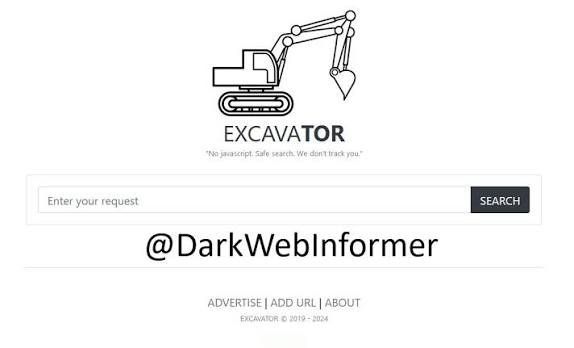
Excavator is a lightweight, onion-service-based search platform designed to help users discover .onion content.
Why it matters
Its lightweight search experience can make it useful when researching current .onion content, although users should independently verify whether a result is still active and legitimate. However, users must understand is the Excavator search engine safe, as searching for .onion content can expose users to malicious sites alongside legitimate results.
Who uses it
OSINT researchers, threat intelligence analysts, and regular Tor users who need current information without wading through years of dead links.
Strengths
- Lightweight, text-based interface that loads quickly over Tor
- No registration required
- Useful for discovering newer .onion content
Limitations
- Unfiltered index that includes phishing clones and scams
- Smaller overall index size compared to older engines
- Requires the user to manually verify URLs before clicking
Beginner suitability
Moderate. The interface is easy to use, but the lack of safety filtering means beginners are at a higher risk of clicking on malicious clones.
Ahmia Search Engine
What it is
Ahmia is an open-source dark web search engine that emphasizes filtering and moderation.
Why it matters
Ahmia emphasizes filtering and moderation, which can make its search experience more suitable for users who want to avoid some categories of abusive or unwanted content. However, moderation does not mean every result is guaranteed to be safe. It also provides clearnet-facing search functionality that can let users search indexed onion content without directly opening the underlying .onion service.
Who uses it
Journalists, privacy advocates, academic researchers, and casual users who want to explore the Tor network while reducing exposure to certain high-risk content.
Strengths
- Content moderation and blacklisting of abusive material
- Open-source codebase for transparency
- Clearnet-facing search functionality for preliminary queries
Limitations
- Filtering means it will not return results for the broader, unfiltered dark web
- Index size is significantly smaller than unfiltered competitors
- Not useful for comprehensive threat intelligence or cybercrime research
Beginner suitability
High. It is a safer starting point for anyone new to the Tor ecosystem who wants to avoid unmoderated content.
Torch Search Engine
What it is
Torch is a long-running dark web search engine associated with a large index of .onion pages.
Why it matters
Because dark web indexes can contain outdated entries, results from Torch may include sites that are no longer accessible. It serves as a broad, historical record of the dark web, though the reliability of any single link varies greatly.
Who uses it
OSINT analysts, digital forensics experts, and researchers looking for historical data, older references, or broader context on hidden services.
Strengths
- Associated with a large index of historical .onion data
- Useful for finding references to older or defunct websites
- Simple, no-frills search functionality
Limitations
- High percentage of outdated or dead links
- Outdated, clunky user interface
- Limited content filtering or moderation
Beginner suitability
Low. The volume of dead links and unfiltered results makes it frustrating and potentially risky for casual users.
Which Dark Web Search Engine Is Better?
Determining which dark web search engine is better depends entirely on what you are trying to accomplish.
Choose Ahmia if moderation is your priority. If you are a journalist looking for secure whistleblowing portals, or a beginner who just wants to understand how Tor functions without exposing yourself to unfiltered content, Ahmia’s approach makes it the superior choice.
Choose Excavator for active research. If you are investigating a current event, tracking a live threat actor, or trying to find the current active URL for a shifting marketplace, Excavator’s design makes it a practical tool. You just have to accept the responsibility of verifying the links it returns.
Choose Torch for historical depth. If you are doing deep OSINT work and need to find a reference to a site that was operational years ago, Torch’s broad, aging database can be useful. You will need patience to sift through the outdated links, but the historical data can hold value.
Excavator vs Ahmia vs Torch Comparison
| Feature | Excavator | Ahmia | Torch |
|---|---|---|---|
| Main strength | Fresh/current discovery | Moderated search | Broad/older indexed content |
| Filtering | Limited/unclear | Stronger moderation | Limited/unclear |
| Beginner friendliness | Moderate | Higher | Lower |
| Historical research | Moderate | Limited | Potentially useful |
| Current research | Strong use case | Moderate | Variable |
| URL verification needed | Yes | Yes | Yes |
| Best for | Active research | General/safer discovery | Historical research |
How to Choose the Right Engine for Your Needs
First: Define your goal
Before opening the Tor browser, determine exactly what you are looking for. If you need a specific, live document, Excavator is your target. If you need broad, moderated context, go to Ahmia. If you are hunting for historical artifacts, use Torch.
Next: Match the engine to your risk tolerance
Unfiltered engines like Excavator and Torch will expose you to phishing pages and unmoderated content. If you do not have the operational security knowledge to verify .onion URLs independently, a moderated search engine such as Ahmia may be a more appropriate starting point until you are comfortable evaluating search results and verifying URLs.
Finally: Cross-reference your results
Never rely on a single source. A strong research methodology involves searching for a target on Excavator to find the active URL, verifying that URL against a trusted directory like DarkStats, and then checking Torch to see if there is any historical context about the site's past operations.
Common Problems & Fixes
Problem: You keep hitting dead links on Torch
Fix: This is the nature of a historical index. Because many of its entries are outdated, clicking through will often lead to disconnected sites. If your priority is finding potentially active content, an engine focused on current discovery may be more appropriate.
Problem: Ahmia isn't returning any results for your query
Fix: Ahmia applies filtering and moderation that can prevent some categories of abusive, illegal, or unwanted content from appearing in its results. If Ahmia does not return the material you need for legitimate research, consider another search source while applying the same URL-verification and safety precautions.
Problem: You aren't sure if an Excavator result is a phishing clone
Fix: Do not click the link. Copy the .onion URL from Excavator and cross-reference it on a verified link directory or the service's official community forum page. If the URL string does not match exactly, it is likely a clone.
Pro Tips
- Use boolean operators effectively: Excavator and Torch support basic operators. Use quotation marks for exact phrases (e.g., "data breach") and minus signs to exclude terms (e.g., marketplace -drugs) to clean up your results.
- Leverage Ahmia's clearnet-facing search for speed: If you are just looking to see if an .onion domain exists or what basic text it holds, using Ahmia’s clearnet functionality is significantly faster than loading results over the Tor network.
- Search for PGP keys, not site names: When tracking a specific entity across these engines, search for their PGP fingerprint. Site names and usernames can change, while a particular PGP key can provide a more persistent identifier when its fingerprint is independently verified. Ensure you are understanding what PGP is and how it works to use this method effectively.
- Understand the indexing lag: No dark web search engine indexes in real-time. A newly launched site may not appear immediately because search engines update their indexes on different schedules.
Safety & Best Practices
None of these search engines act as a security filter for the websites they index. Your safety relies entirely on your browser configuration. For research involving untrusted websites, consider using Tor Browser's highest available security level and understand which web features it restricts.
Never download files directly from search engine results, regardless of which engine you use. Malware is frequently distributed through fake document downloads. Understanding what cybersecurity is helps you recognize these traps.
For users concerned about their network footprint, reviewing a Tor vs. VPN safety and privacy comparison for 2026 is useful, though it will not protect you from the phishing sites indexed by unfiltered engines. The most effective security measure is knowing how to protect yourself from hackers by maintaining strict operational discipline.
Related Guides
- Is Excavator Search Engine Safe? What Users Should Know
- Deep Web vs Dark Web: Understanding the Layers
- Best Tools for OSINT Researchers
FAQ
Which search engine has the most results? Torch is associated with a large index, though many results may be outdated or dead. For active, live results, engines focusing on current discovery may be more practical.
Can I use these search engines without the Tor Browser? Some search engines, including Ahmia's clearnet-facing services, can be accessed without directly opening a .onion site. To access a .onion service itself, however, you need software or a service that can connect to the Tor network.
Do these search engines track what I search for? Privacy practices vary between search engines. If a service's logging practices cannot be independently verified, avoid assuming that your search activity is completely private. Tor provides network-level privacy protections, but it does not guarantee that an individual website or search service cannot collect information about your activity.
Why do I get different results on each engine? Each engine uses different web crawlers, updates their indexes on different schedules, and applies different filtering rules. Ahmia applies moderation to limit certain content, while Excavator and Torch attempt to index broader, unfiltered material.