


If you're asking if The Hidden Wiki is safe, you're not alone. This is a common concern, and it often happens because beginners assume a "wiki" implies a trustworthy, moderated environment. Many people struggle with this topic due to outdated information and a misunderstanding of how unmoderated dark web directories actually work.
In this guide, you'll learn:
- Whether The Hidden Wiki is safe to use
- If you can get hacked just by visiting it
- What current cybersecurity guidance suggests about these directories
- Practical security tips to protect yourself
- Common mistakes to avoid
Keep it conversational. Avoid fluff.
Quick Answer
No, The Hidden Wiki is not considered safe. While simply viewing the text on the page is relatively harmless, clicking on the listed links carries significant risks. Because the directory is unmoderated, it is filled with phishing clones, malware, and law enforcement honeypots. Security researchers generally recommend avoiding it entirely in favor of verified clearnet directories.
Evidence Snapshot
| Topic | Current Evidence |
|---|---|
| Malware Risk | High (drive-by downloads are common) |
| Phishing Clones | Extremely common (fake marketplaces and forums) |
| Moderation | None (anyone can post a link) |
| Current Consensus | The risks far outweigh any convenience it offers |
What Is The Hidden Wiki?
To understand the risks, it helps to clarify what the site actually is. If you are new to this space, reading about what is the dark web is a good starting point.
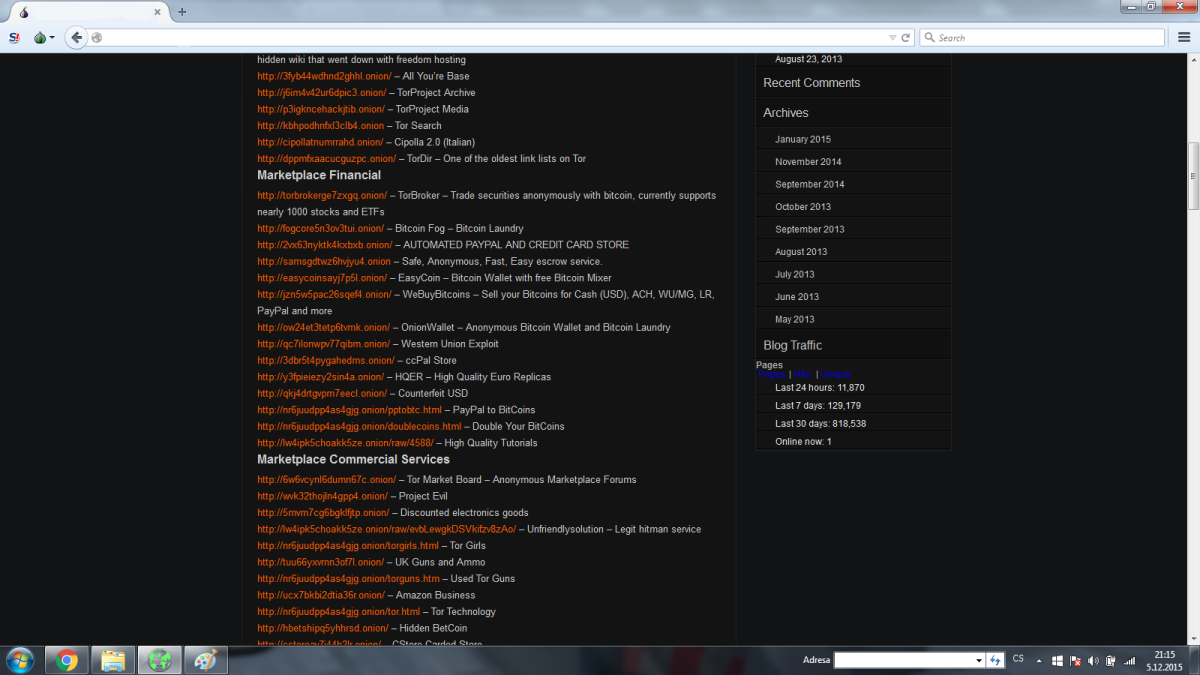
The Hidden Wiki is essentially an uncategorized, unmoderated directory of .onion links. It was originally designed to be a Wikipedia-style resource for the dark web, but that concept failed years ago. For a complete breakdown of its history and how it operates, you can read our pillar guide: The Hidden Wiki Explained.
Can You Get Hacked Just by Visiting The Hidden Wiki?
This is one of the most common fears, and the answer depends heavily on how your browser is configured and what you mean by "visiting."
Simply opening the main page of The Hidden Wiki and reading the static text is relatively low risk—if your settings are correct. However, if your setup is flawed, simply loading the page can compromise your device.
The JavaScript Threat The primary danger of just opening a wiki page is JavaScript. According to documentation from the Tor Project, JavaScript can be used to execute malicious code on your device. If you have JavaScript enabled (which is the default "Standard" setting in Tor), simply loading a compromised wiki page can trigger a drive-by download. Malicious code hidden in the background can exploit your browser to install malware or spyware without you clicking anything.
Browser Exploits and Outdated Software Attackers constantly scan for vulnerabilities in web browsers. If you are running an outdated version of the Tor browser, a technique known as an N-day exploit can be used against you. This means an attacker uses a security flaw that the Tor Project has already patched, but you haven't downloaded yet. Keeping Tor updated is your primary defense against this.
Browser Fingerprinting Even if a page doesn't hack you, it can identify you. Maximizing your Tor browser window, for example, creates a unique screen resolution that attackers can use to track you across the dark web, stripping away your anonymity.
PDF and Media Exploits Some wiki clones list links to supposed "documents" or "guides" in PDF format. Modern PDFs can contain embedded scripts. If your browser is configured to automatically open PDFs using an external viewer, that file can exploit vulnerabilities in your PDF reader to take control of your system.
Downloaded Files Of course, if "visiting" means clicking around and downloading files—such as supposed security tools or software cracks—you are no longer a passive visitor. Downloaded files from The Hidden Wiki almost universally contain malware, ransomware, or credential-harvesting tools.
Is It Safe to Use The Hidden Wiki Without Tor?
It is technically impossible to visit the real .onion version of The Hidden Wiki without the Tor network. Standard browsers like Chrome or Safari cannot resolve .onion addresses.
However, there are many standard clearnet websites that pretend to be The Hidden Wiki. These are 100% unsafe. They are standard websites set up to trick beginners into downloading malware or entering credentials. As we cover in our guide on finding the Hidden Wiki URL, any site you can access without Tor is a fake.
The Biggest Risks of Using The Hidden Wiki
The root cause of the danger comes down to a complete lack of moderation. Anyone can edit a Hidden Wiki clone and add a link. There is no verification process.
Attackers use this to their advantage, deploying tactics that define what is hacking in the modern era—tricking the user rather than breaking the code.
This explains why phishing is still so successful on the dark web. Attackers know you are looking for a specific site, so they list a fake version of that site on the wiki to steal your credentials.
- Phishing Clones: Attackers clone popular sites. For example, they might list a link pretending to be Dread Forum or various darknet markets. If you log in, they steal your password.
- Law Enforcement Honeypots: Some links lead to servers actively monitored by law enforcement agencies. Wandering onto the wrong link can quickly expose you to content or activities where is the dark web illegal becomes a serious personal concern.
Risk Matrix
Understanding the risk level of different activities helps you make safer choices.
| Activity | Risk Level | Why |
|---|---|---|
| Opening the main page | Low | Mostly static text, assuming JavaScript is disabled. |
| Clicking unknown links | High | High chance of landing on a phishing page or malicious server. |
| Downloading files | Very High | Almost guaranteed to contain malware or spyware. |
| Logging into a fake market | Critical | Directly hands over your credentials and potentially your cryptocurrency. |
How Criminals Use Fake Hidden Wikis
Current cybersecurity guidance suggests that fake Hidden Wikis are primary attack vectors for financial fraud. Criminals use them to:
- Deploy Malware: Links to fake security tools or software cracks that infect your device.
- Host Fake Markets: Entire marketplaces built to steal deposits. Users add funds to their accounts, only to find the market is a phishing trap.
- Fake Wallets: Links to malicious cryptocurrency wallets that steal your seed phrase or private keys.
- Credential Theft: Clones of popular email or forum services designed to harvest passwords.
Warning Signs of a Fake Hidden Wiki
Because the original wiki is gone, you are almost guaranteed to be on a clone. However, some clones are more dangerous than others. Look out for these red flags:
- Login Prompts: A real wiki is a read-only directory. If it asks you to create an account or log in, it is a scam.
- Random Ads: Legitimate onion sites rarely have flashy, graphic ads for illegal products.
- Outdated Links: If every single link you click returns a "Connection Refused" error, you are likely on a neglected clone built solely for SEO poisoning.
- Copied Logos: Stolen branding from defunct markets used to make the page look authoritative.
Can Antivirus Protect You?
People frequently ask if running premium antivirus will keep them safe on The Hidden Wiki.
Incident response teams note that while antivirus is helpful for removing known malware after an infection, it is a poor primary defense against zero-day exploits or novel phishing pages designed specifically to bypass standard detections. Relying solely on antivirus creates a false sense of security.
To stay safe, you need a layered approach. Here is how different security measures compare:
| Security Measure | What It Does | Limitations |
|---|---|---|
| Antivirus | Scans for known malware signatures | Cannot stop zero-day exploits or phishing |
| Tor Browser Updates | Patches known browser vulnerabilities | Only works if you actually install the updates |
| Virtual Machine (VM) | Isolates malware from your main OS | Requires setup; doesn't stop you from typing passwords |
| Tails OS | Amnesic OS that wipes all data on shutdown | Slower; requires a dedicated USB drive |
| Disabled JavaScript | Blocks the most common drive-by attack vector | Breaks functionality on many modern websites |
Common Myths About The Hidden Wiki
❌ Myth: Tor makes you completely anonymous. Reality: Tor only routes your traffic through encrypted nodes. If you log into your personal email, enable JavaScript, or use a unique browser fingerprint, you can still be identified.
❌ Myth: A VPN makes The Hidden Wiki safe. Reality: A VPN hides your Tor usage from your ISP, but it does absolutely nothing to protect you from the malicious links, malware, and phishing pages hosted on the wiki.
❌ Myth: Antivirus will block all attacks. Reality: Antivirus software cannot stop you from willingly entering your password into a fake marketplace, nor can it reliably catch custom-built malware designed to evade detection.
❌ Myth: The Hidden Wiki is the official dark web homepage. Reality: There is no official dark web homepage. The Hidden Wiki was just an early, unauthorized directory that has since degraded into a landscape of unmoderated clones.
Is The Hidden Wiki Safe for Beginners?
No. The Hidden Wiki is exceptionally unsafe for beginners.
Beginners often lack basic operational security (OPSEC). They may use their primary operating system instead of an isolated virtual machine, or they might accidentally leave JavaScript enabled.
Driven by curiosity, beginners are the primary targets of these scams. If you are just starting out, reading about how to stay safe while researching the dark web will highlight why unmoderated directories should be completely avoided.
Is The Hidden Wiki Safer Than Dark Web Search Engines?
Current evidence suggests that neither option is perfectly safe, but search engines are generally less manipulated than wikis.
- The Hidden Wiki: Links are manually added by anonymous users, meaning a human explicitly chose to put a malicious link there.
- Ahmia: A clearnet search engine that crawls .onion sites algorithmically. It is safer and accessible without Tor, but it will still index malicious sites.
- Haystak: A dark web search engine with a large index. It provides relevant results but cannot verify the safety of the sites it indexes.
- Torch: An older search engine known for slow speeds and frequently returning broken or malicious links.
What Security Researchers Actually Do
Security professionals do not browse The Hidden Wiki casually. When they must investigate a link from a wiki, they follow strict protocols, as recommended by organizations like the Electronic Frontier Foundation (EFF):
- Isolated VMs: They use virtual machines that have no connection to their host operating system.
- Snapshots: They take a "snapshot" of the clean VM. If they get hacked, they can revert the entire computer back to its clean state in seconds.
- Tails OS: Many use Tails, an amnesic operating system that runs from a USB drive and leaves no trace.
- Disposable Identities: They never use accounts tied to their real identity.
- URL Verification: They cross-reference links using tools like what is PGP to verify cryptographic signatures before visiting a site.
- No Single Source: They never trust a link just because it is on a wiki.
Safer Alternatives
Instead of using a Hidden Wiki, current cybersecurity guidance suggests relying on:
- Verified Clearnet Indexes: Directories like OnionLink actively monitor onion links for uptime and verify their legitimacy before listing them.
- Security Blogs: Following threat intelligence hubs like dark web news to stay informed about which sites are currently active or compromised.
- Ahmia (with caution): Using clearnet search engines to find specific, known entities rather than browsing random directories.
Decision Tree: Should You Click a Link?
text
Need an onion link?
│
├─ Found it on Google/YouTube?
│ └─ ❌ NO. Do not click.
│
├─ Found it on a Hidden Wiki?
│ ├─ Is it on a verified clearnet directory?
│ │ └─ ✅ YES. Proceed in isolated Tor browser.
│ │
│ └─ ❌ NO. Do not click.
│
└─ Does it require JavaScript?
└─ ❌ NO. Leave the site immediately.
Safety Checklist
Before you attempt to find any onion link, verify you have done the following:
- Tor browser updated to the latest version
- Security level set to "Safest" (JavaScript disabled)
- Running inside a Virtual Machine or Tails OS
- Not logged into any personal accounts
- URL cross-referenced on a trusted clearnet directory
Should You Ever Use The Hidden Wiki?
For 99% of users, the answer is no.
The convenience of having a list of links is vastly outweighed by the high probability of encountering malware or a phishing trap. There are no legitimate services on The Hidden Wiki that cannot be found more safely through a verified clearnet directory.
Frequently Asked Questions
Can The Hidden Wiki infect your computer? Yes. If your browser settings are incorrect (e.g., JavaScript is enabled) or your browser is out of date, simply loading a compromised Hidden Wiki page can trigger a malware infection.
Can you get hacked using The Hidden Wiki? Yes. "Getting hacked" usually occurs when a user clicks a link on the wiki, goes to a fake marketplace, and willingly enters their password or cryptocurrency seed phrase.
Is Tor Browser enough for protection? No. While Tor hides your IP address, it does not stop you from downloading malware or falling for phishing scams. It must be paired with safe browsing habits.
What are the biggest risks? Phishing clones of popular markets and forums, drive-by malware downloads, and law enforcement honeypots.
Does Tor make The Hidden Wiki safe? Tor makes accessing the dark web possible, but it does not make the content on The Hidden Wiki safe. The threats are in the links, not the network connection.
Is every Hidden Wiki fake? Yes and no. The original Hidden Wiki is offline. Every site currently calling itself The Hidden Wiki is a clone, and the vast majority of those clones are unmoderated and highly dangerous.
Why are there hundreds of Hidden Wikis? Because there is no central authority. Attackers create clones to trap beginners, while well-meaning individuals create them out of nostalgia. Neither is safe to use.
Is Hidden Wiki monitored? Yes. Many clones are actively monitored by law enforcement, and attackers constantly monitor the traffic of their own fake wikis to steal data.
Should I use a VPN with The Hidden Wiki? A VPN can hide your Tor usage from your ISP, but it does not protect you from the malicious links on the wiki itself.
Is Hidden Wiki illegal? Visiting a directory is generally legal, but the links inside often lead to illegal content. Interacting with that content is a crime.
Key Takeaways
- Main takeaway: The Hidden Wiki is an unmoderated trap filled with phishing links and malware.
- Important limitation: Tor browser alone cannot protect you from the threats hosted on the wiki.
- Most common mistake: Assuming a wiki page is safe because it looks like Wikipedia.
- Best practice: Use verified clearnet directories instead of unmoderated dark web wikis.
- Current evidence: Security professionals universally avoid these wikis in favor of actively monitored indexes.
- Next step: Bookmark a verified clearnet directory and delete any Hidden Wiki URLs you may have saved.
Conclusion
The Hidden Wiki is a relic of the early internet that has decayed into a dangerous landscape of scams and malware. Relying on it for navigation is the digital equivalent of walking blindfolded through a minefield.
By shifting your reliance to verified clearnet directories and understanding the mechanics of dark web phishing, you can explore the network without exposing your device or identity to unnecessary risks. For a deeper understanding of this ecosystem, continue reading our complete guide on The Hidden Wiki Explained.