



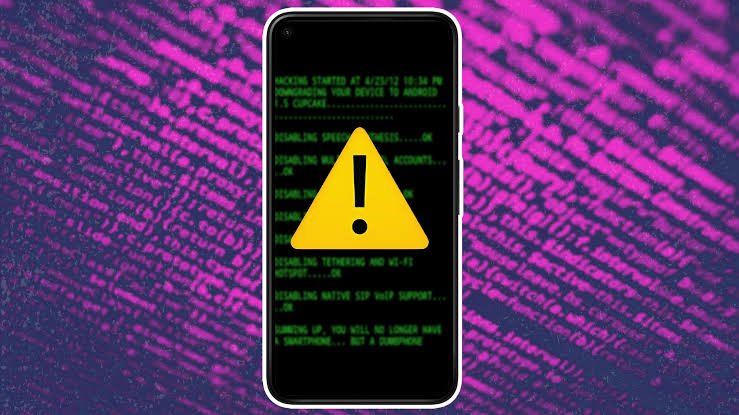
If you're dealing with a device that feels off, you're not alone. This is a common concern, and it often happens because modern devices are complex. Many beginners suspect a hack when they experience simple software glitches, outdated information, or misleading pop-up ads.
In this guide, you'll learn:
- What a device hack actually looks like
- Why these warning signs occur
- What current cybersecurity research says
- Practical steps to diagnose and fix your device
- Common mistakes to avoid
Keep it conversational. Avoid fluff.
Quick Answer
The most common signs your device is hacked include sudden battery drain, unexplained data usage, unfamiliar apps, and random pop-ups. However, many of these symptoms can also be caused by standard software bugs. Running a full antivirus scan and checking your account login sessions are the best first steps to verify.
Evidence Snapshot
| Topic | Current Status |
|---|---|
| Ransomware | Immediate, obvious sign (locked screen/files) |
| Cryptominers | Causes severe overheating and slow performance |
| Stalkerware | High battery/data drain, hard to detect |
| Zero-Click Exploits | Rare, usually no visible signs initially |
| Current Consensus | Most everyday "hacks" are actually account takeovers, not device infections |
What is a Device Hack?
To understand if you are hacked, it helps to clarify what is hacking in a modern context. It means unauthorized access to your device, data, or network.
Device hacks range from someone intercepting your web traffic to malicious software running quietly in the background. If you want to understand how these threats fit into the broader digital landscape, reading about what is cybersecurity provides helpful context.
Current Research or Industry Status
Cybersecurity experts currently know that truly sophisticated device hacks are designed to be invisible. If a hacker wants to steal your data long-term, they do not want you to know they are there.
However, low-level attacks are highly visible. Observational findings show a rise in "drive-by" downloads and fake antivirus alerts. Ongoing developments suggest that AI is being used to create more convincing fake error messages.
Early evidence indicates that while highly targeted, stealthy malware is increasing, the average user is far more likely to experience an account takeover. More research is needed to understand the long-term impact of AI-generated malware.
Why This Happens
Devices get compromised because of a combination of technical flaws and human habits.
Understanding types of hackers helps explain the "why." Opportunistic attackers cast a wide net using common hacking techniques like phishing emails. They don't care who you are; they just want to infect as many devices as possible to steal passwords or hijack computing power.
Technical limitations also play a role. If you ignore operating system updates, you leave known security doors wide open.
Why It Matters
Recognizing the difference between a hack and a normal glitch is crucial. Misinterpreting a standard software crash as a hack can lead to unnecessary panic, while ignoring a real hack can lead to identity theft.
Beginners get confused because malware symptoms often mimic normal hardware aging. Misinformation spreads when fake "Microsoft Support" pop-ups trick users into handing over remote access to their computers.
How to Tell If Your Device Has Been Hacked
Step 1: Check for abnormal performance and data usage
Malware has to work in the background. If your device is suddenly overheating, the battery is draining unusually fast, or your data usage spikes for no reason, hidden software might be running.
Step 2: Look for unauthorized changes
Check your home screen for apps you didn't download. On a computer, look for browser toolbars you didn't install, or notice if your homepage has changed without your permission.
Step 3: Watch for account anomalies
The most common sign isn't on the device itself—it's in your email. If you get password reset emails you didn't request, or friends report receiving spam from you, your account is likely compromised. You can read more about how do hackers hack accounts to see how this happens.
Step 4: Identify ransomware
This is the only obvious hack. If your screen locks up and displays a message demanding payment to unlock your files, you have been hit with ransomware.
Common Mistakes
Mistake: Calling the phone number on a virus pop-up. Why it happens: The pop-up looks official and creates a sense of extreme urgency. How to avoid it: Real security warnings never ask you to call a phone number. Close the browser immediately.
Mistake: Assuming a slow device means a hack. Why it happens: People associate bad performance with viruses. How to avoid it: Try restarting your device and clearing your cache first. Age and lack of storage space are much more common causes of slow performance.
Mistake: Trying to clean the device while connected to the internet. Why it happens: People want to download an antivirus tool immediately. How to avoid it: If you suspect a severe infection, disconnect from Wi-Fi first to stop the malware from communicating with the attacker.
Factors That Affect Results
- Device Type: The signs differ heavily. Can someone hack your phone without you knowing? Yes, through stalkerware. Computers, on the other hand, are more susceptible to visible ransomware and browser hijacking.
- Operating System: Windows PCs are heavily targeted by traditional malware. Macs are targeted less often but are not immune.
- User Behavior: Downloading pirated software or clicking strange links drastically increases the likelihood of an infection.
Comparison Table: Hacked Device vs. Normal Glitch
| Symptom | Likely a Hack | Likely a Glitch |
|---|---|---|
| Random browser pop-ups | Yes, especially if they happen on safe sites | No, usually just ad-related tracking |
| High battery drain | Possible, if combined with high data use | Possible, especially after an OS update |
| Apps opening slowly | Unlikely | Very likely (low storage/RAM) |
| Unfamiliar apps installed | Yes | No |
| Ransom message on screen | Yes | No |
What Current Evidence Suggests
| Warning Sign | Evidence Strength | Current Consensus |
|---|---|---|
| Ransomware Lock Screen | Definitive | Device is compromised. Do not pay the ransom. |
| Unrecognized MFA Prompts | High | Credentials are stolen; attacker is trying to log in. |
| Slightly slower PC | Low | Usually caused by standard software bloat or aging hardware. |
| Background Data Spikes | Moderate | Could be malware, or a cloud backup running unexpectedly. |
How to Fix a Hacked Device
If you have determined your device is actually compromised, here is how professionals handle it.
Step 1: Isolate the Device
Disconnect it from the internet immediately. This stops data from being sent to the attacker and prevents the spread of worms to other devices on your network.
Step 2: Run a Reputable Scanner
Use a well-known, trusted antivirus or anti-malware program to quarantine and delete malicious files.
Step 3: Factory Reset (The Nuclear Option)
If the malware persists, or if you suspect how hackers break into computers involved deep system access, a factory reset is the most reliable fix. This wipes everything, so ensure your important files are backed up safely first.
Step 4: Secure Your Accounts
From a different, clean device, change the passwords to your email, banking, and social media accounts. Enable Multi-Factor Authentication (MFA).
Pro Tips
- Check your active login sessions. Google, Apple, and Microsoft all have security pages where you can see what devices are currently logged into your account. Log out of anything you don't recognize.
- Adopt a defensive mindset. Learning about what is ethical hacking can help you think like an attacker and spot vulnerabilities in your own setup.
- Monitor the dark web. If your data was stolen, it often ends up on illicit forums. Directories like OnionLink catalog hidden sites where this data is traded. You can use free breach-checking services to see if your email has appeared in these leaks.
Safety / Best Practices
Follow reliable guidance from established cybersecurity organizations. Verify information before taking action.
Use comprehensive guides on how to protect yourself from hackers to build a strong defense before an incident occurs. Understand the limitations of your tools—no antivirus is 100% perfect, which is why safe browsing habits are your best defense.
Stay informed about the latest threats by following threat intelligence hubs like DarkStats.
Related Guides
- Mobile Threats: If your phone is the device acting strangely, our guide on can someone hack your phone offers mobile-specific warning signs.
- Foundational Knowledge: Read our breakdown on what is cybersecurity to understand how digital defense evolves.
FAQ
Can a hacker see my screen? Yes, if specific remote access trojans (RATs) are installed. However, this is relatively rare for everyday users and usually requires you to download and run a malicious file first.
Is my router hacked if my internet is slow? Not necessarily. Slow internet is much more commonly caused by ISP throttling, too many connected devices, or Wi-Fi interference. Check your router's admin panel for unfamiliar connected devices to be sure.
Will turning off my phone stop a hacker? Turning off your device will stop active malware from running and cut the connection to the hacker. However, once you turn it back on, the malware may reactivate unless it is removed.
Can Apple or Microsoft see if I am hacked? They cannot actively monitor your device for intrusions in real-time. However, they build security features (like iOS Security Check or Windows Defender) that alert you to known threats.
Should I pay a ransom if my files are locked? Current consensus among law enforcement and cybersecurity experts is that you should not pay. There is no guarantee you will get your data back, and paying funds further criminal activity.
How do I know if the virus alert in my browser is fake? If the alert is a pop-up inside your web browser, freezes your browser window, or asks you to call a phone number, it is almost certainly a scam. Real operating system alerts do not appear inside a web browser.
Key Takeaways
- Main takeaway: Most obvious "hacks" are actually software glitches or browser scams. Real malware usually tries to hide.
- Important limitation: Antivirus software cannot always reverse damage done by deep system infections.
- Most common mistake: Calling fake tech support numbers displayed on pop-up alerts.
- Best practice: Isolate the device from the internet immediately if you suspect a real compromise.
- Next step: Check your active login sessions on your primary email account from a different device right now.
Conclusion
Figuring out if your device has been hacked can feel stressful, but the signs are usually logical when you know what to look for. By separating normal technical glitches from actual security threats, you can avoid panic and take the right corrective steps.
Remember that the threat landscape evolves constantly. To stay updated on the latest malware trends, data breaches, and security fixes, continue learning through trusted resources and related guides.