


Dark Web Safety Rules for Newbies: 8 Essential Tips
The internet is a huge place, and not everything you find online is safe or trustworthy. While most people use the regular internet every day, some users are curious about the dark web and want to understand how it works.
The dark web can be used for legitimate purposes, including privacy-focused communication, research, and access to information. However, it also comes with risks that beginners should understand before exploring it. Scams, fake websites, malicious downloads, phishing attempts, and cryptocurrency fraud are among the problems newcomers may encounter.
If you're new to the dark web, there's no need to panic. The best approach is to understand the risks, protect your personal information, and avoid situations that could put your money, device, or privacy at risk.
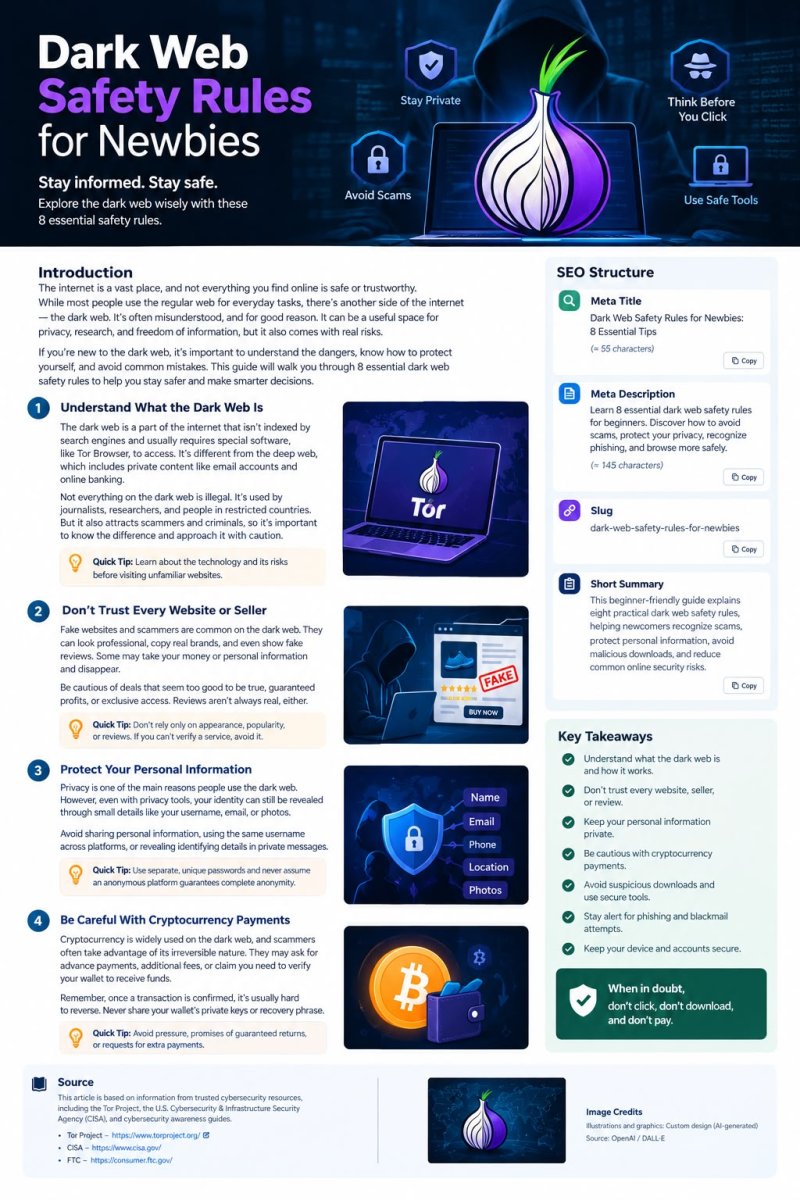
In this guide, we'll cover eight essential dark web safety rules to help beginners make more informed decisions online.
1. Understand What the Dark Web Is
Before exploring the dark web, it's important to understand what it actually means.
The dark web is a part of the internet that isn't accessible through ordinary search engines and typically requires specialized software, such as Tor Browser, to access certain websites. It isn't the same as the deep web, which includes ordinary content that isn't indexed by search engines, such as private email accounts and online banking pages.
Not everything on the dark web is illegal. Journalists, researchers, privacy advocates, and people living under restrictive governments may use privacy-focused services for legitimate reasons.
However, anonymity can also attract criminals and scammers. Understanding this difference helps you approach the subject realistically rather than assuming every website is either safe or dangerous.
Safety tip: Learn about the technology and its risks before visiting unfamiliar websites.
2. Never Trust Every Website or Seller
One of the biggest mistakes beginners make is assuming that a professional-looking website must be legitimate.
On the dark web, fraudulent websites can imitate real services, copy branding, display fake testimonials, and use convincing language to gain visitors' trust. Some may disappear after collecting payments or personal information.
Be especially cautious of websites promising unusually cheap products, guaranteed profits, exclusive access, or deals that seem too good to be true.
Reviews aren't always reliable, either. A seller may publish fabricated testimonials or manipulate ratings to appear trustworthy.
Safety tip: Don't rely on appearance, popularity, or reviews alone to decide whether a website is trustworthy. If you cannot independently verify a service, the safest option is to avoid sharing information or sending money to it.
3. Protect Your Personal Information
Privacy is one of the main reasons people become interested in the dark web. However, using privacy-focused technology doesn't automatically make your identity invisible.
Your real name, personal email address, phone number, photographs, usernames, and other identifying details can reveal more about you than you might realize.
For example, using the same username on a dark web service and your public social media accounts could make it easier for someone to connect those identities.
Think carefully before sharing any personal details, even in private messages or supposedly anonymous communities.
Safety tip: Use separate, unique passwords for your accounts, avoid unnecessary personal disclosures, and never assume that an anonymous platform guarantees complete anonymity.
4. Be Careful With Cryptocurrency Payments
Cryptocurrency is frequently associated with dark web transactions, and scammers may exploit the difficulty of reversing many blockchain payments.
A fraudulent seller might request an advance payment and then disappear. Another might claim you need to pay an additional fee to release funds, verify your wallet, or receive a refund.
These are common warning signs of financial fraud.
Remember that cryptocurrency transactions are generally difficult or impossible to reverse once confirmed. Blockchain transactions may also be publicly traceable, depending on the cryptocurrency and the activity involved.
Safety tip: Never send money because someone is pressuring you, promising guaranteed returns, or claiming that an extra payment will unlock your funds. Never share your wallet's private keys or recovery phrase with anyone.
If you encounter a suspicious payment request, stop and assess the situation before taking further action.
5. Avoid Suspicious Downloads and Unknown Files
Downloading files from unfamiliar websites can put your device and personal information at risk.
A file presented as a document, software tool, image, or archive could contain malicious code. Some malicious programs are designed to steal passwords, monitor activity, or compromise a device.
Even files that appear harmless may exploit vulnerabilities in outdated software.
Be particularly cautious if a website asks you to disable antivirus protection, install an unknown application, or change your security settings before downloading something.
Safety tip: Keep your operating system and applications updated, use reputable security software, and avoid opening files from untrusted sources. If a file seems suspicious, don't run it simply because someone claims it is safe.
6. Use Tor Browser Carefully
Tor Browser is a widely used tool for accessing Tor services and improving browsing privacy. However, it isn't a guarantee against scams, malware, or every form of tracking.
For example, a person can use Tor and still enter their personal information into a fraudulent website. They can also compromise their privacy by installing unsafe extensions or opening downloaded files carelessly.
To reduce unnecessary risks, download Tor Browser from the official Tor Project website and keep it updated.
Avoid installing additional browser extensions unless you have a clear reason and understand the potential risks. Don't disable built-in security features just because a website tells you to.
Safety tip: Treat Tor as a privacy tool, not as a complete security solution. Your browsing habits, downloads, account activity, and personal disclosures still matter.
7. Learn to Recognize Phishing and Blackmail Attempts
Scammers often rely on fear, urgency, and curiosity to manipulate people.
You might receive a message claiming that your account will be suspended unless you act immediately. Someone may pretend to be a website administrator or support representative. Others may threaten to publish your personal information unless you send money.
These messages are designed to make you react before thinking carefully.
Be suspicious of unexpected requests for passwords, cryptocurrency transfers, wallet recovery phrases, or sensitive personal information. Don't trust someone simply because they claim to be an administrator or security expert.
If someone threatens or blackmails you, avoid making payments in an attempt to guarantee their silence. Preserve relevant evidence and consider reporting credible threats to the appropriate authorities.
Safety tip: Pause before responding. Verify claims independently, don't open suspicious links, and never let threats or artificial deadlines force you into a decision.
8. Keep Your Device and Accounts Secure
Good security habits can make a significant difference, whether you're using the regular internet or exploring privacy-focused services.
Start by keeping your operating system, browser, and applications up to date. Security updates often address vulnerabilities that attackers could otherwise exploit.
Use a reputable password manager to create unique passwords, and enable multifactor authentication on important accounts whenever available.
Avoid using administrator privileges unnecessarily, and back up important files regularly. If you believe your device has been compromised, use a trusted device to secure your important accounts and seek reliable technical assistance.
It's also important to understand that a VPN, antivirus program, or Tor Browser cannot eliminate every risk. Each tool has different purposes and limitations.
Safety tip: Build a consistent security routine instead of relying on one application to protect everything.
Common Dark Web Mistakes Beginners Should Avoid
Even people who understand basic cybersecurity can make mistakes when they are unfamiliar with an online environment.
Here are some common behaviors to avoid:
- Trusting strangers because they appear knowledgeable or friendly.
- Believing every positive review or recommendation.
- Reusing passwords across multiple websites.
- Downloading unknown files without considering the risks.
- Sharing personal information in supposedly anonymous communities.
- Sending cryptocurrency to unverified recipients.
- Installing unofficial software or browser extensions.
- Paying people who promise guaranteed scam recovery.
The key lesson is simple: don't let curiosity, urgency, or the promise of a special opportunity override your judgment.
What Should You Do If You Get Scammed?
Despite taking precautions, anyone can become a target of online fraud. If something goes wrong, responding quickly can help reduce further damage.
If you sent cryptocurrency: Save transaction details, wallet addresses, and relevant messages. Contact the exchange you used if applicable. Be wary of recovery scammers who demand upfront fees.
If you shared a password: Change it immediately using the legitimate website or app. Update any other accounts that use the same password, and enable multifactor authentication.
If you downloaded suspicious software: Don't run the file. If you already executed it and suspect a compromise, disconnect the affected device from the network when appropriate, scan it using reputable security tools, and use a clean device to secure important accounts.
If you shared banking details: Contact your bank through its official website, app, or phone number and follow its advice.
If someone is blackmailing you: Preserve messages and other evidence, avoid paying, and report credible threats to law enforcement.
Most importantly, don't blame yourself. Scammers often use sophisticated manipulation techniques, and acting promptly is more useful than dwelling on what happened.
Final Thoughts
Exploring the dark web requires a realistic understanding of privacy, cybersecurity, and online fraud. Although privacy-focused technology has legitimate uses, it doesn't make every website trustworthy or protect users from every threat.
For beginners, the most important habits are to protect personal information, verify claims carefully, avoid suspicious downloads, secure accounts, and be cautious with cryptocurrency.
You don't need to understand every technical detail to make safer decisions. Start by learning the basics, recognize common warning signs, and walk away whenever something feels suspicious.
Remember: your safety is more important than any website, transaction, or opportunity. When in doubt, don't click, don't download, and don't pay.
https://blog.torproject.org/event/mozfest-2026/
https://blog.torproject.org/event/Ethereum-Cypherpunk-Congress-Mumbai/